
Reviewed · NEW YORK CITY TOURS
NYC: See Yourself on a Times Square Billboard for 24 Hours
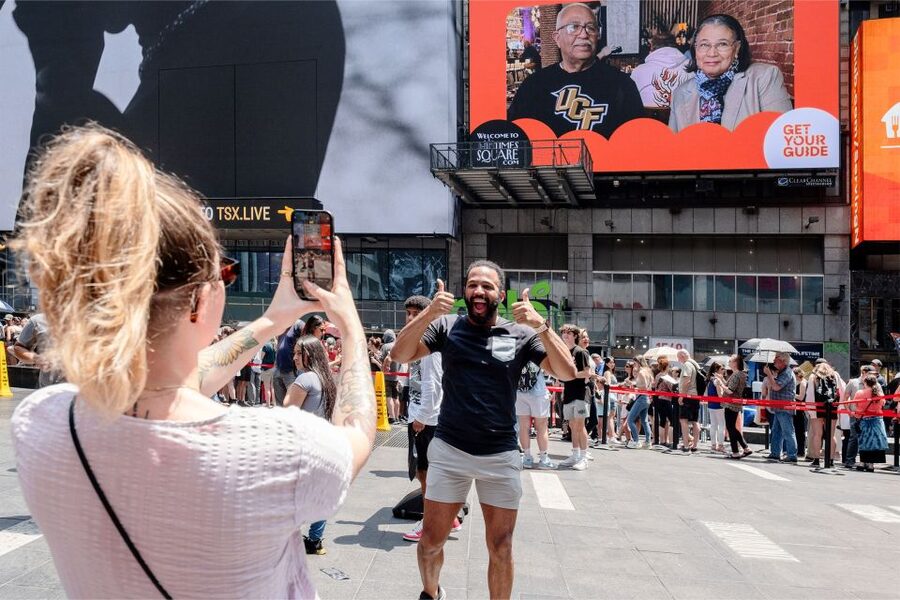
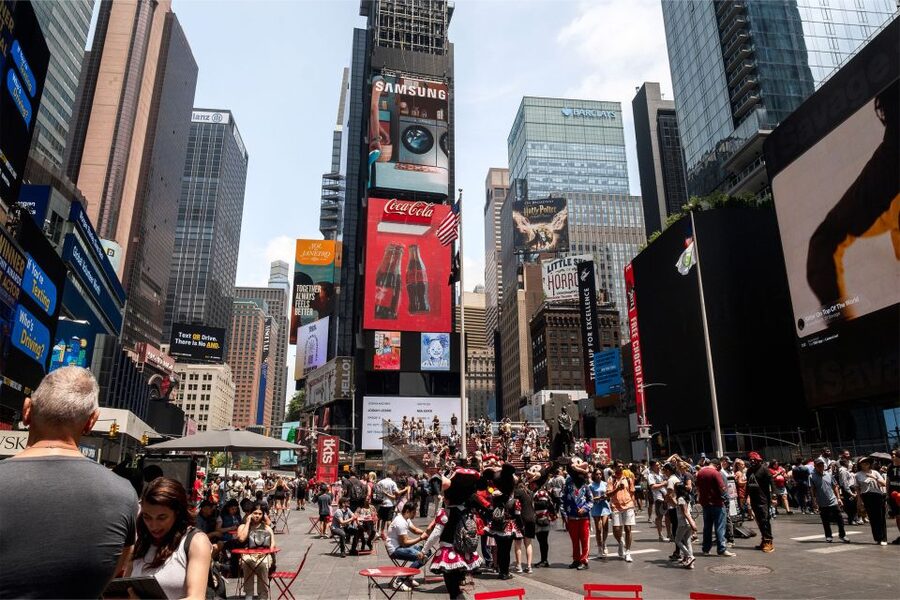
Turning your face, your family, or your big message into Times Square signage is the kind of NYC brag you can actually measure in hours. This is a one-day experience where you get your image displayed for 15 seconds every hour for 24 hours, right by the Pelé store in the Crossroads of the World.
I like how personal it feels. I also like that it works both ways, you can watch the billboard in person and follow the live stream online so friends and family can catch it from anywhere.
One thing to think through: your image only plays at your assigned hour, and some slots can be early. If you hate waiting around in the cold or you are prone to dozing off, plan your timing carefully.
Key points worth knowing before you upload
- 15 seconds, once per hour, for 24 hours, so you get repeated chances to spot yourself
- Times Square location: 1560 Broadway, above the Pelé store, across from the TKTS red steps
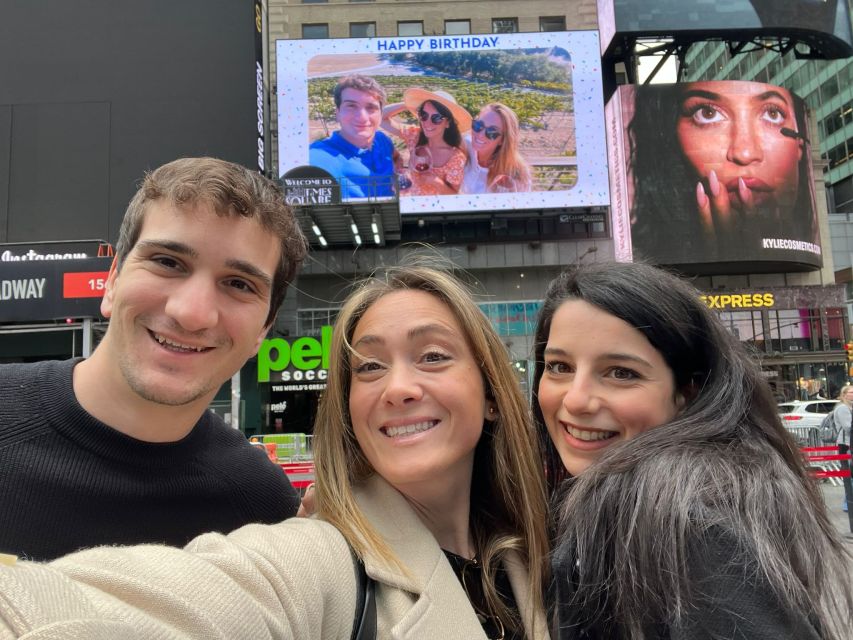
- One custom frame per photo, with options that include message-style frames like birthday and engagement themes
- You can choose one group photo (one ticket can cover a shared image), or buy separate tickets if each person wants their own upload
- Your time slot is not actually secured until you submit your file, so don’t buy and then forget to upload right away
- There are file rules, including no watermarks, brand logos, QR codes, links, nudity, smoking, or vulgarity
Times Square billboard in the real world: what you’re actually buying
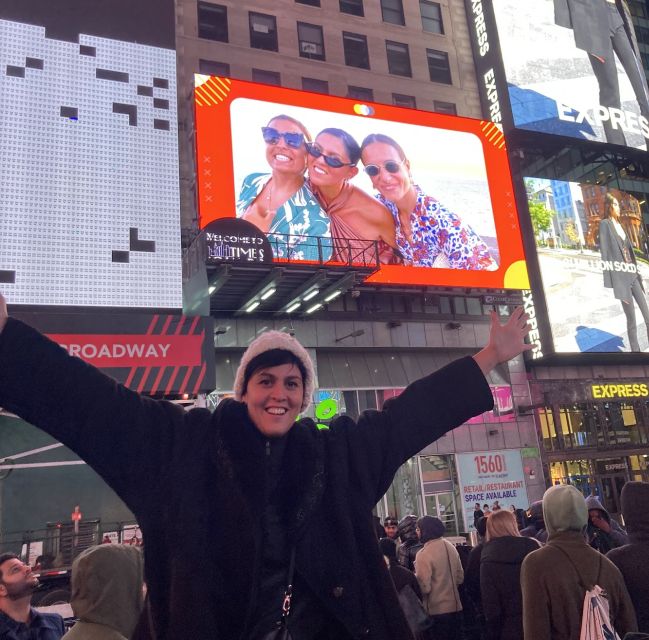
For $150 per person, you are not buying a “ticket to see a show.” You are buying a very specific NYC moment: your photo or short video turned into a billboard display in one of the most photographed blocks on Earth.
You get one upload that plays for 15 seconds every hour for 24 hours on your chosen date. The practical win here is repetition. You are not relying on one perfect moment. You’ll have multiple showtimes across the day and night, and that makes it easier to line up with your own plans and your group’s energy.
There’s also a small technical safety net: you’re guaranteed 22 showtimes within the 24-hour period in case of technical issues. That matters because Times Square screens are busy and the setup is complicated. You want your money to cover a display that actually runs.
Stack these New York City options against each other
- NYC: SUMMIT One Vanderbilt Experience Ticket
★ 4.7 · 37,985 reviews - NYC: 9/11 Memorial & Museum Timed-Entry Ticket
★ 4.8 · 31,428 reviews - NYC: Empire State Building Tickets – Observatory & Museum
★ 4.7 · 25,757 reviews
Where to find it: 1560 Broadway, above the Pelé store
Your payoff depends on finding the exact spot, and this billboard is in a very specific high-traffic area.
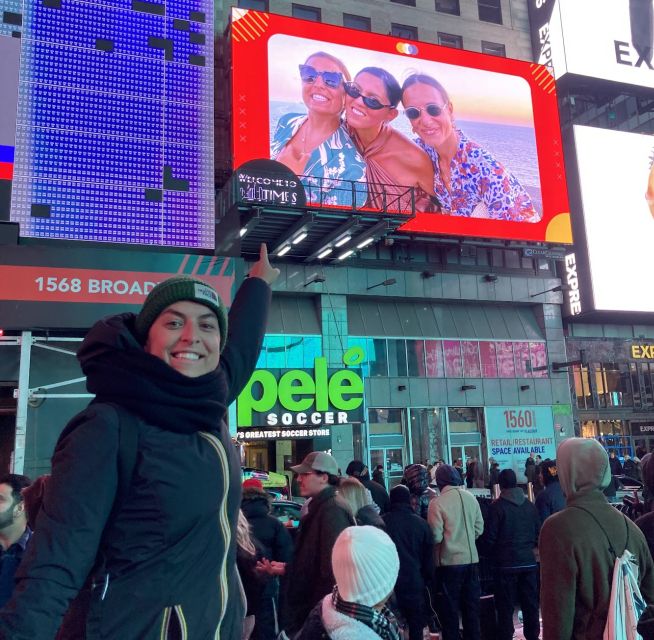
The meeting point is the billboard at 1560 Broadway between 46th and 47th Street. You’ll find it above the Pelé store, and directly across from the famous TKTS red steps. It’s accessible from Broadway, which helps when the side streets are jammed.
A couple of practical notes I’d give you based on how this area works day-to-day:
- Give yourself extra time. Times Square is crowded, and walking a few blocks can feel longer than it sounds.
- When you think you’ve arrived, keep adjusting until you locate the billboard itself. A few people note that maps can be annoying in this part of Midtown, because tall buildings and dense intersections can make navigation feel confusing at first.
How the 15 seconds per hour feels: timing, waiting, and the glare issue
This is the part that catches people off guard, and it’s not because the company is unclear. It’s because Times Square makes you impatient.
Your image appears for 15 seconds once each hour. That means you should treat your hour like a mini event, not like background scenery. If you just wander nearby for a minute, you might miss it. One review summed up the feeling well: you truly have to stay alert, and don’t blink when it’s about to go live.
You also want to plan around how well you can see the screen. At least one person mentioned that on-screen viewing online can be affected by glare, and in person the experience lands better. So if possible, aim to be there at least for one or two showtimes when the light and viewing angles work in your favor.
And yes, your scheduled slot can be early. One booking described starting at 1 a.m. on the first display day. That’s not the fault of the billboard, it’s just how the hourly schedule lines up. If you’re traveling with kids, or if you do not do well with late nights, choose a date and slot that matches your tolerance for waiting.
Upload rules: how to make sure your image gets approved
This experience lives or dies on the upload. The good news is the process is designed to be straightforward, and many people report the upload was quick and easy.
The not-so-fun news is the approval rules are real. Your file may be denied if it includes:
- Watermarks
- Brands or logos
- Nudity
- Smoking
- Vulgarity
It’s also rejected if you submit something that resembles advertising, including logos, QR codes, links, or anything similar to an advertisement. Even social media links can be declined if they are associated with independent professionals or freelancers.
So here’s my plain advice: upload something clean and direct. If you want to include a message, use the line of text option built into the experience rather than dropping in a link.
Another New York City day, played differently:
- NYC: Empire State Building Observation Deck Tickets
★ 4.7 · 22,072 reviews - NYC: Edge Observation Deck Admission Ticket
★ 4.6 · 20,918 reviews - New York City: Statue of Liberty & Ellis Island with Ferry
★ 4.6 · 18,683 reviews - New York City: American Museum of Natural History Ticket
★ 4.5 · 15,447 reviews
Photos, videos, frames, and text: make it look like a message, not just a screenshot
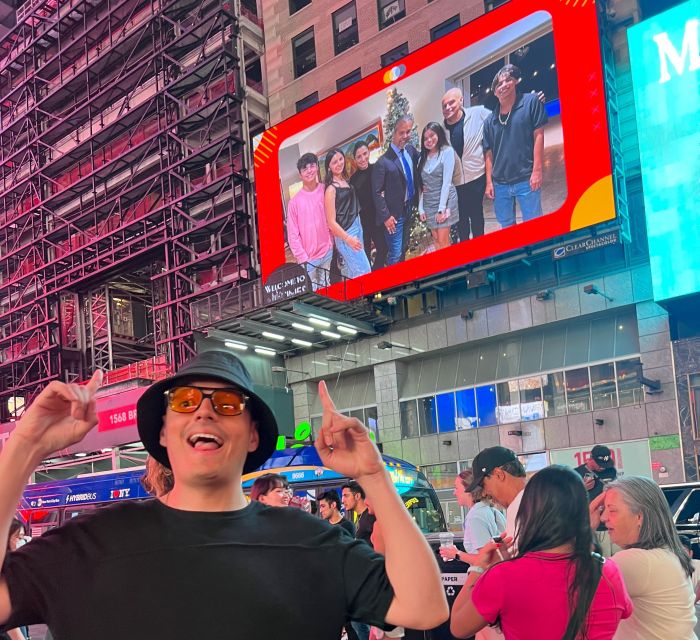
You can upload either a photo or a video, and your display includes a custom frame plus an optional line of text.
You’re not limited to generic style. You can choose frames with themes like:
- Happy Birthday
- Congratulations
- A will-you-marry-me style message
That means you can treat your upload like a real Times Square announcement. It helps if you’re doing this for a birthday, an engagement, a graduation, or an anniversary. It also helps if you want the message to be readable even when you only have a few seconds to look up.
One clever use from a booking: a family used a collage-style image with multiple photos, and it was still clear on the big screen. The key idea for you is simple: if your collage is already arranged as one image file, it can work. Just keep it legible, because you only get 15 seconds at a time.
Your time slot: what happens after you book
After purchase, you’ll get a confirmation of your assigned time slot within 24 hours. You can share that time with friends and family, and they can watch via the live stream online.
Here’s the part you should not rush past: your slot is not reserved until you submit your photo or video. So don’t buy and then take forever to upload. Submit your file as soon as you can.
And if you’re traveling and trying to time it right, consider this practical tip from the experience itself: get your upload done early enough that you’re not stuck waiting for the next day. One booking notes needing to submit the day before to avoid being pushed to the following day.
Also, you can update your upload. You can change your photo or video as long as it’s requested 24 hours in advance of your display date and your file has not already been shown on the billboard.
The on-site moment: how to turn this into a mini photo shoot
When your hour hits, you’ll want your moment, not just a casual glance up at the billboard. Here’s how to make it feel like it cost more than it did.
Plan for two phases:
- Arrive early and take your location photos in front of the screen area.
- When the display is near, stop moving and face the billboard.
You’ll often spend a few minutes waiting, and the crowd energy is part of the show. Times Square is full of street performers, photo ops, and people livestreaming. That means you can get a little distracted, and that’s why you should stay focused when you think it’s about to go live.
One booking described a happy surprise during their waiting time, where a performer helped them capture a quick pose photo. Even if that doesn’t happen for you, the lesson is the same: if you plan to hang around anyway, turn it into a memory-making session rather than a chore.
Watching the live stream: sharing the moment beyond your group
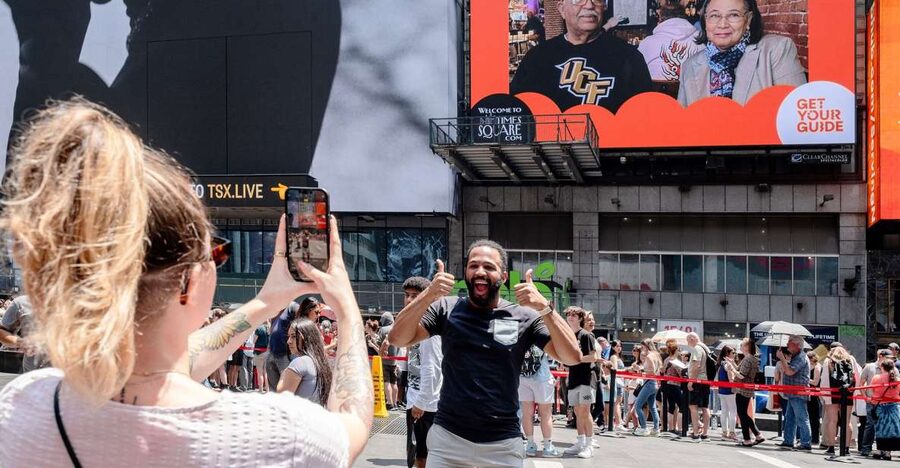
This experience works well for families split across time zones. Your assigned hour is shareable, and people can watch the live stream online.
That’s not just convenient. It changes the emotional impact. If you are surprising a son, a daughter, a partner, a parent, or a friend, the person viewing themselves in Times Square is one wave of joy. The second wave is hearing from the people who watched from home, on a lunch break, or from halfway across the world.
In one booking, the live feed was a major part of the surprise because friends and family were able to see the billboard in real time. That’s exactly what you should do: text the time slot to everyone who matters, and encourage them to look up when it’s their hour.
Price and value: is $150 per person fair for 24 hours?
Let’s talk value, because this is where you should be honest with yourself.
You’re paying for:
- A Times Square billboard slot
- 15 seconds each hour
- 24 hours total
- A custom frame and text line
- A live stream option for remote viewers
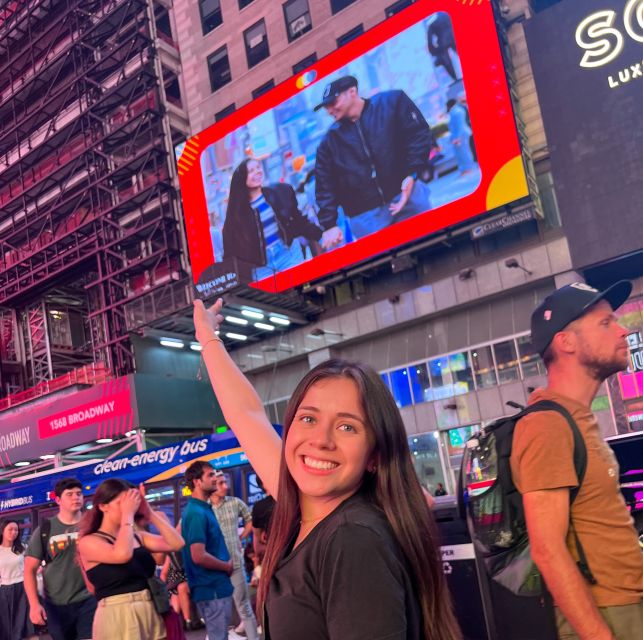
The emotional value is real. Multiple people described it as feeling like movie stars, and it’s hard to argue with that when your image is literally in lights in one of the world’s busiest squares.
But you should also decide what you want from this purchase. If you’re just looking for something to do, a photo billboard can feel like a gimmick. If you’re booking a surprise, a tribute, or an anniversary moment, it becomes a story you can tell for years.
One reason I think the price makes sense is frequency. Even though your image is only up for 15 seconds at a time, the repetition across the day makes it easier to catch. It’s not one-and-done.
If you want multiple separate images for multiple people, it’s likely to cost more because you may need multiple tickets for separate uploads. If you’re traveling as a group, the best value angle is usually clear: use one group photo so everyone shares the same spotlight.
Best occasions: birthdays, anniversages, proposals, and tributes
This experience fits big milestones because the whole point is the public nature of Times Square.
From the range of occasions people used:
- Sweet Sixteens and other big birthday ages
- Engagement surprises with a will-you-marry-me style frame
- Anniversaries and tributes
- Family celebrations and special-age moments for kids
- Emotional moments like honoring someone with an anniversary reminder
If your goal is to make one person feel seen, this works. If your goal is to throw a regular party, it’s probably not the best fit by itself. Think of it as a one-day spotlight, then build the rest of your day around it.
The biggest practical headaches, and how to dodge them
No experience is perfect, so here are the few issues you should plan for, based on what’s been reported and what the rules imply.
1) Finding the billboard fast
Times Square can make simple navigation feel like a puzzle. Use the landmark details, above the Pelé store, across from TKTS red steps, and confirm you see the actual billboard before you commit your time.
2) Waiting for your hour
Fifteen seconds is short. You might end up standing around while the crowd watches their own screens and phone cameras. If you have little kids, bring patience snacks, water, and a clear game plan for where you’ll stand.
3) Glare and visibility online
Some people find it harder to notice on certain screens or from certain angles. In-person spotting can be easier. Online viewing is still valuable, just don’t assume it will look identical from every device.
4) File rejection
The rules are specific about links, QR codes, logos, watermarks, and certain content. If you want a message, design it within the allowed frame and text options.
Should you book this Times Square billboard moment?
Book it if you want a true NYC “only in New York” surprise, and you are comfortable with one main focus event that depends on timing. This is especially great for birthdays, engagements, anniversaries, and tributes, and it shines when the person being surprised is someone you can hype up to stand near you and look up.
Skip it if you want an activity with constant action, or if you hate waiting around for short bursts. Also rethink it if you know you cannot handle early slots, or if you are not confident you can submit a clean file quickly.
If you do book, do two things and you’ll feel smart: upload promptly so your slot is secured, and go to the location at least once so you can see the billboard in person when it’s actually live.
FAQ
How long does my photo or video display each hour?
Your photo or video shows for 15 seconds every hour for 24 hours on your selected date.
Where is the billboard in Times Square?
It’s at 1560 Broadway between 46th and 47th St, above the Pelé store, directly across from the TKTS red steps.
Can I upload a photo or a video?
Yes. You can choose a photo or a video for your billboard display.
Do I need to submit my file right away for my time slot?
Yes. Your time slot is not reserved until you submit your photo or video, so you should upload it soon after booking.
Can I change my upload?
You can change your photo or video at any time, as long as it’s requested 24 hours in advance of your display date and your submission has not already been displayed.
What file content is not allowed?
Your file may be denied if it includes watermarks, brands, logos, nudity, smoking, or vulgarity. Submissions that resemble advertising, like QR codes or links, may also be declined.
Reviewed most recently around New York City
- New York City Dinner Cruise with Live Music★ 4.0 · 377 reviews
- Museum of Sex NYC Admission Ticket★ 4.5 · 380 reviews
- Central Park Private Pedicab Tour (60 mins)★ 5.0 · 382 reviews
- “The Met” Metropolitan Museum of Art Tour Semi-Private 8ppl Max★ 5.0 · 384 reviews
- Statue of Liberty, Ellis Island, and 9/11 Memorial Guided Tour★ 4.0 · 385 reviews
- 1-hour New York City Skyline Sightseeing Cruise★ 3.5 · 391 reviews
- Excursion to Washington from New York in 1 day★ 5.0 · 393 reviews
- NYC: Meet the Met – Extended 3hr Small-Group Tour★ 4.6 · 397 reviews
New York City Tours, compared.



Empire State Building Tickets – Observatory & Museum
Read our review →
Empire State Building Observation Deck Tickets
Read our review →

Browse the lists this tour appears in